Guide 4 of 6 · Resorts
Know the mountain
Before you get there
Weather, webcams, lifts and runs for your resort, in one place.


Already have Yewki? Open this page on your phone.
§ 01
Find your resort
Open Resorts
Go to
Resorts. The resorts of your current and upcoming trips are already there.Search
Tap
Searchand find any resort by name, country or area.Save it
Tap the heart on the resort page. The resort goes in your Favourites.
§ 02
What's on a resort page
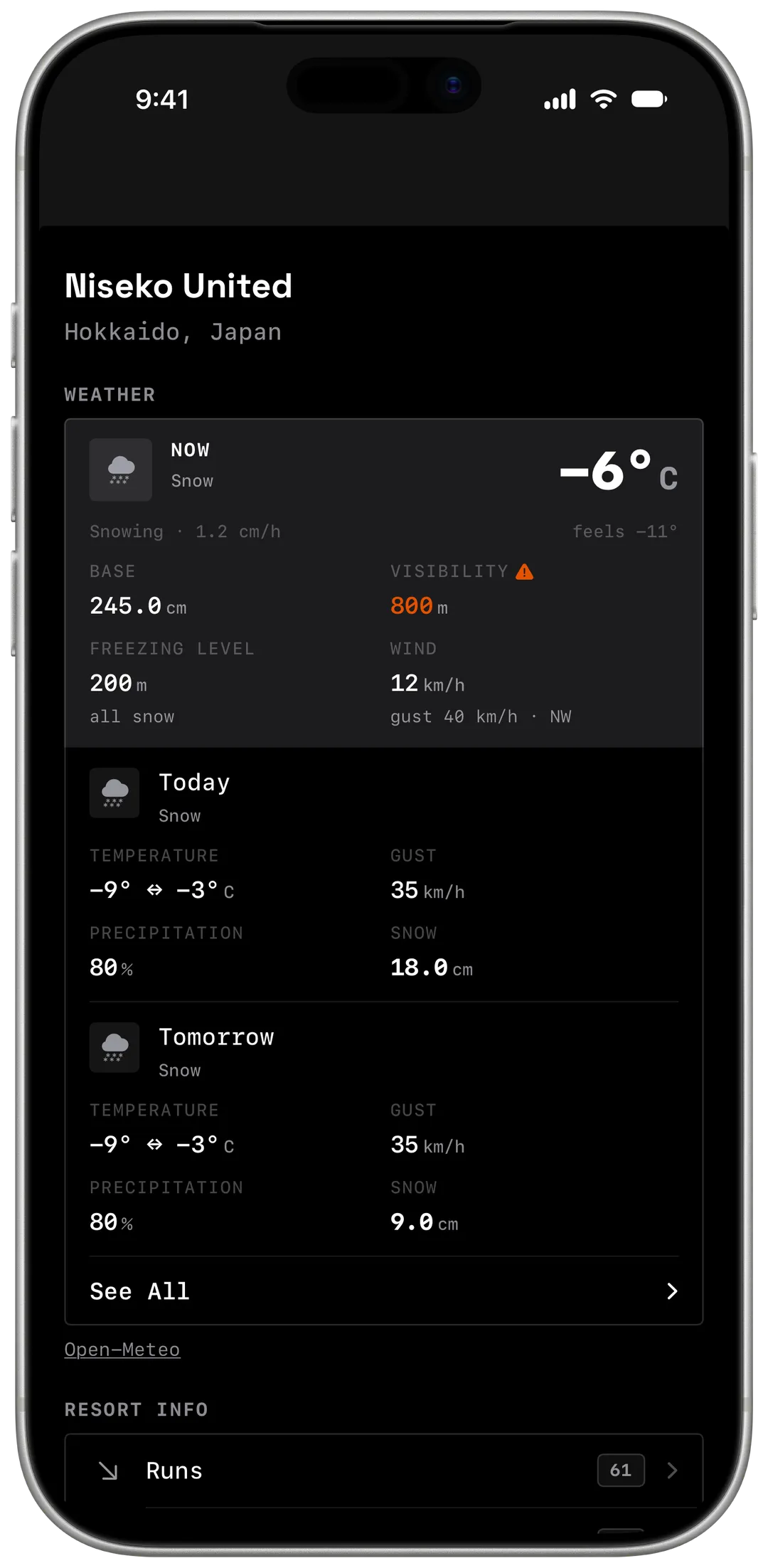
Weather
Now: temperature, base depth, wind and freezing level. Then today and tomorrow, with new snow. Tap See All for more days.
Webcams
Live views of the mountain, where the resort has them.
Resort info
Runs, lifts, top and base elevation, vertical drop and skiable area.
Directions
Apple Maps, and Google Maps or Waze if you have them.
§ 03
Plan your first day
The night before
Check tomorrow's new snow, wind and freezing level.
In the morning
Look at the webcams for the visibility before you leave.
On the way
Tap
Directions. Yewki opens your maps app.
§ 04
Frequently asked questions
Is it free?
Yes. Weather, webcams, maps and resort info are free. Appearing on resort leaderboards and earning resort titles need Pro.
Why don't I see webcams?
Not every resort has them. The section shows only when it does. Some resort data is still incomplete.
Can I look at a resort before I book a trip?
Yes. Search any resort and save it.